Features
What it does, one feature at a time
Each feature below is in Proofyard today. The screenshots are from the app with sample data (made-up clients and people), not mock-ups.
- 01
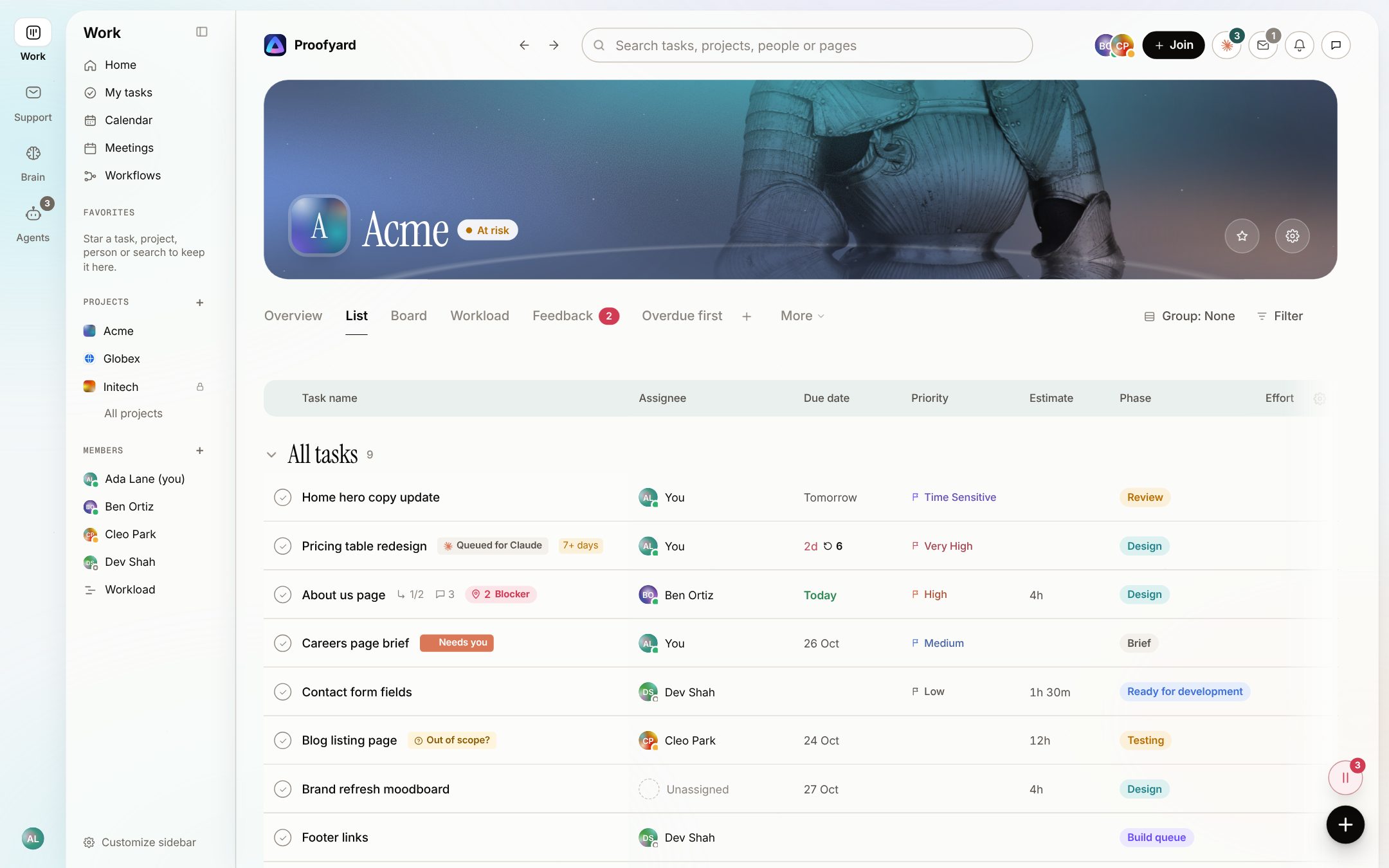
Project management for web design agencies
Phases from brief to launch, a list and a board on the same work, workload by person, and Claude's state on every task. Made in a web studio, for web studios.
- 02
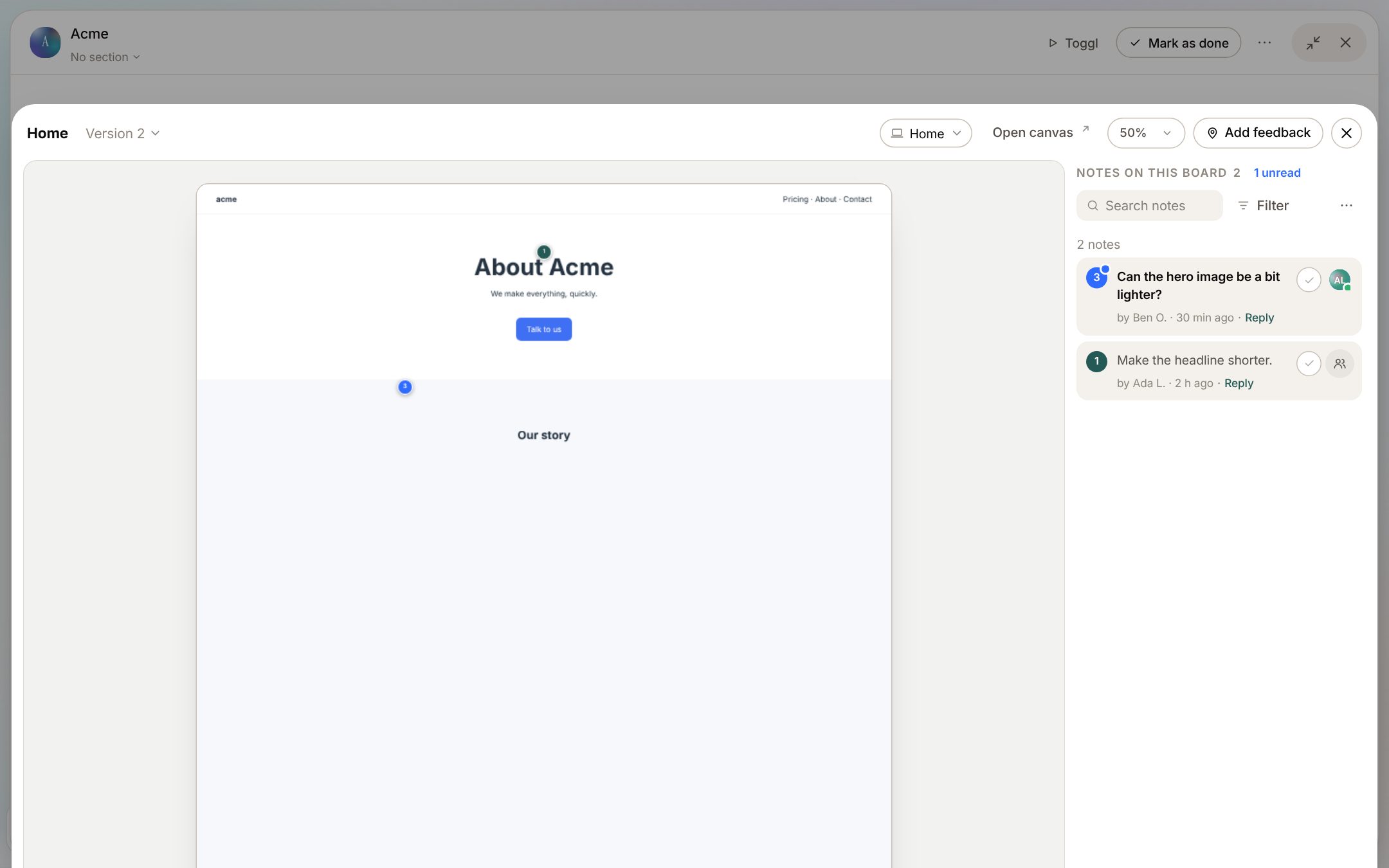
Client feedback for Claude Design
Your team and your clients pin notes on Claude Design boards and on the staging or live site, clients without an account, and the notes go back to Claude as one clear list.
- 03
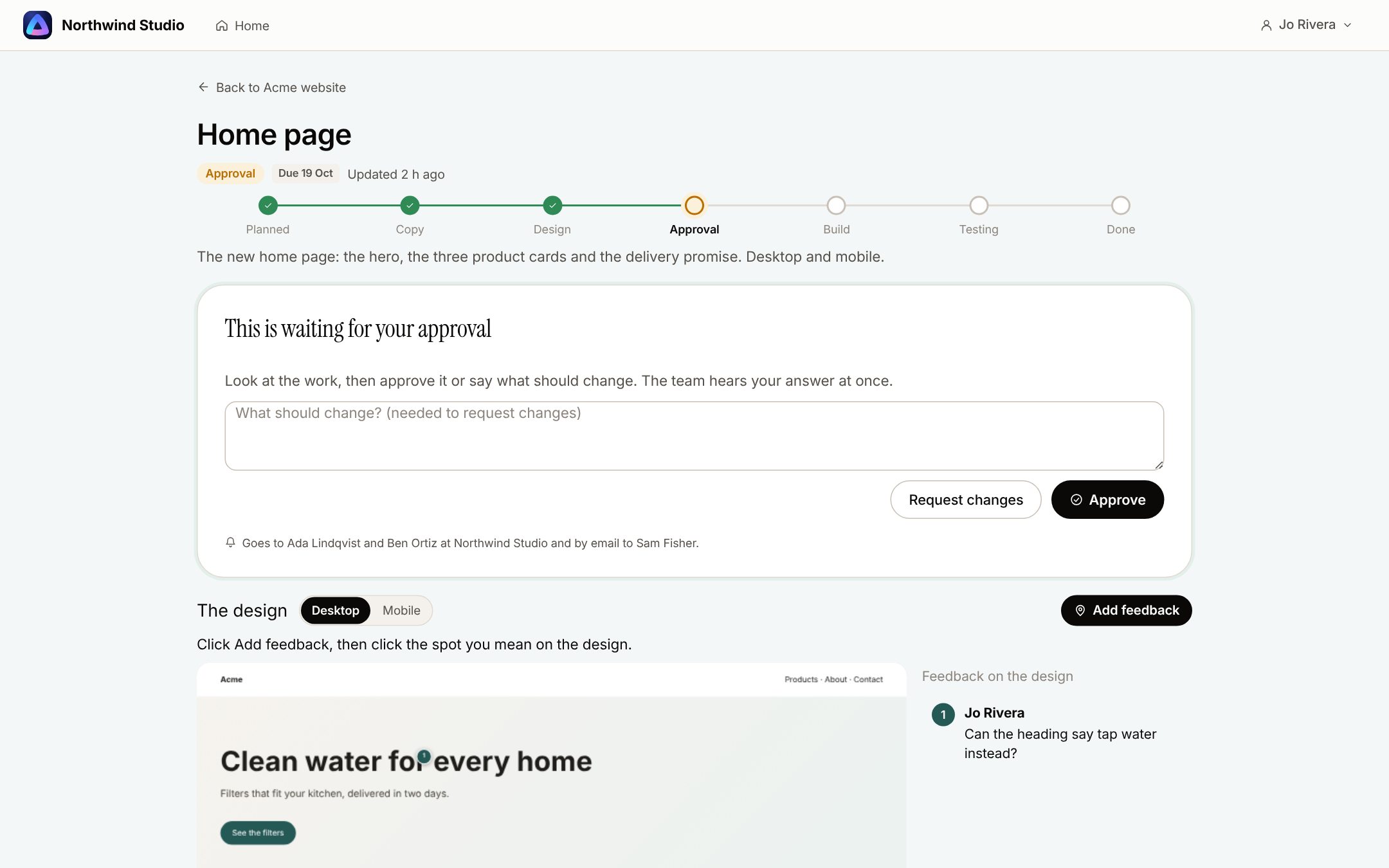
A client portal your clients understand
Clients see what waits for them, approve a design with the pins beside it, and follow their project in plain stages. They never see your internal notes.
- 04
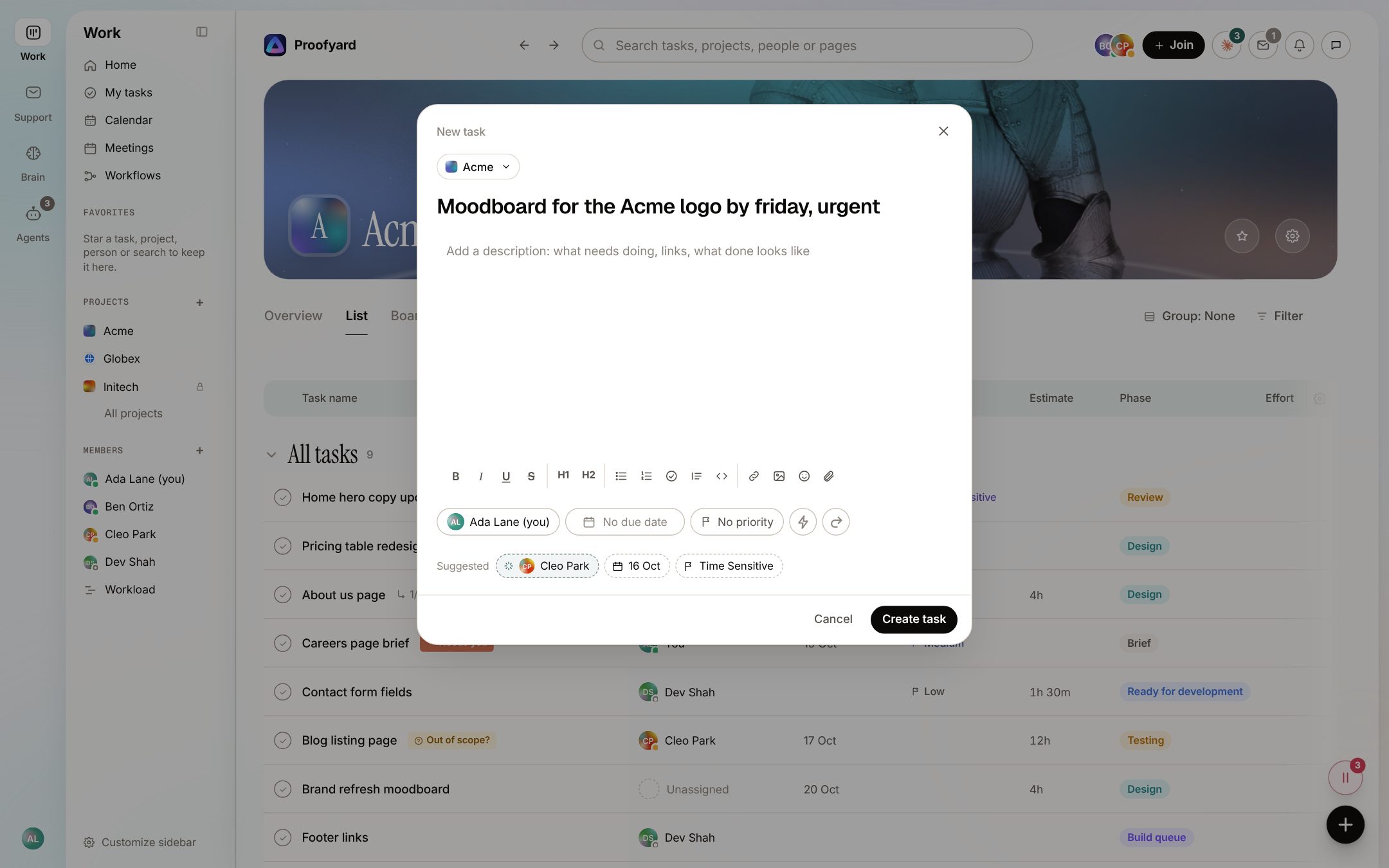
Smart actions
The board fills in who, when and how important, suggests the next step after a comment, balances the week with you and keeps the inbox quiet. Each one is a suggestion: one click takes it, and Undo takes it back.
- 05
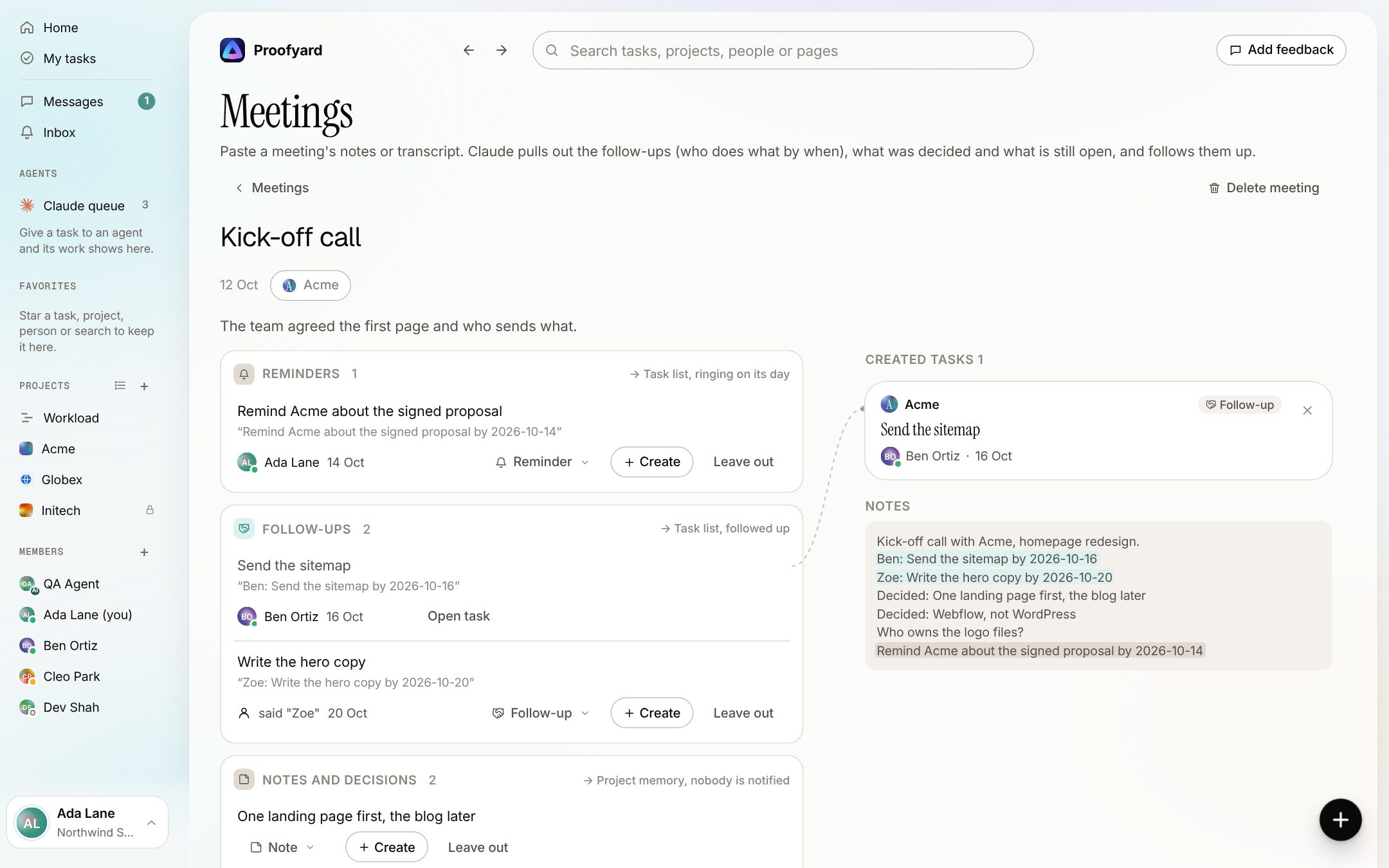
Meeting notes to tasks
Paste a meeting's notes or transcript; Claude lays out who does what by when, you check it, and the follow-ups become tasks that get chased.
- 06
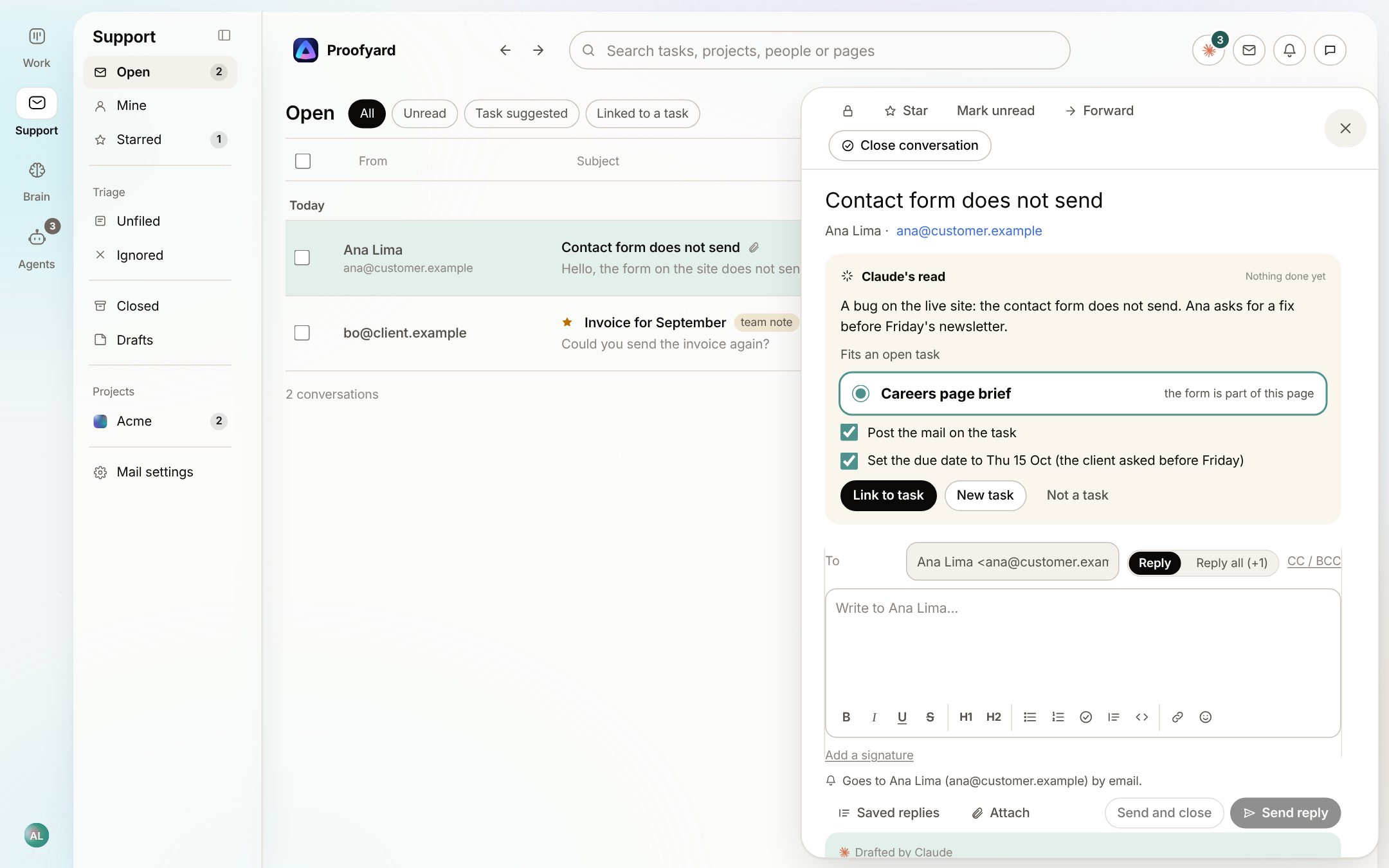
A support inbox that knows your projects
Client email lands next to its project. Claude suggests the open task a mail is about, or drafts a new one, and a person decides. In early access.
See it on your own work
Open a workspace and try each feature with your own clients. Free for 14 days, no credit card needed.