Product
One workspace for agency production
Every part of a client project, from the first email to the last check, in one place that Claude can read. Here is each part in turn, with screenshots from the app.
Free for 14 days, no credit card needed.
Projects
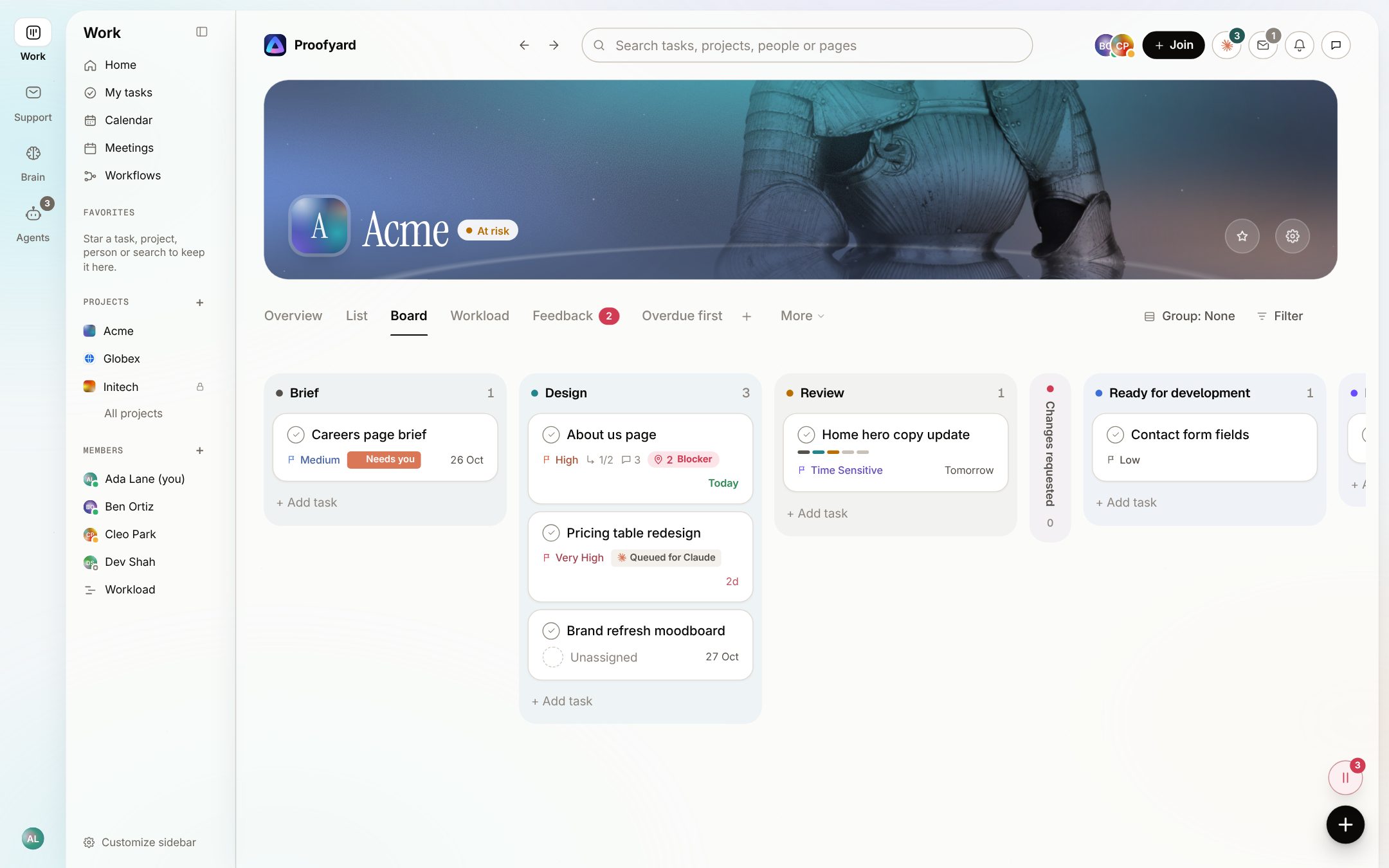
A production board for client work
Each project runs in phases that match how you build, from brief to launch. List, board and overview show the same work.
- Claude's state on every card: queued, working, needs you or failed
- Scope tab with the signed scope and change orders
- Rules that move, assign or notify when a task reaches a phase
- Repeating tasks, checklists and templates
Client feedback
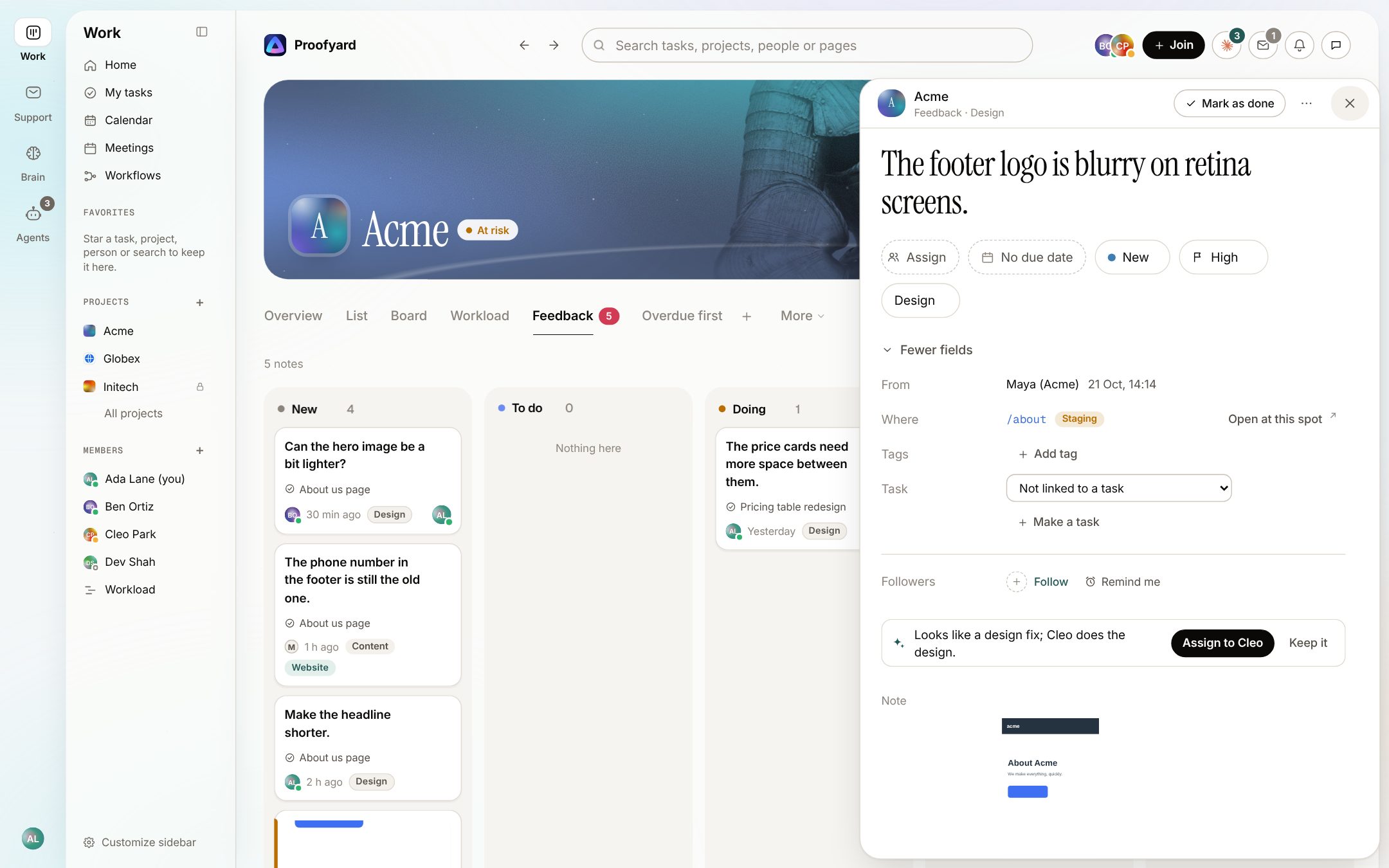
Notes on designs and live sites, in one place
Claude Design boards come in as versions. Clients pin notes on them from a review link, and on the staging or live site through a small script.
- No account for clients, no browser extension
- Every note with its page, element, device and screenshot
- One Feedback board for design and site notes
- Send the notes to Claude Code; the client checks the fix
SupportEarly access
Customer email, sorted onto projects
Mail to your support address lands in a shared inbox. Mail from a client's domain goes to their project, where Claude reads it as it arrives.
- Claude suggests the open task a mail is about, or drafts a new one
- Replies from the app, with CC, saved replies and a signature
- Team notes inside a mail that are never sent
- Claude can suggest an answer in a team note; a person sends every reply
Early access: today Support runs for one workspace, our own studio's. Tell us if you want it for yours.
How Support works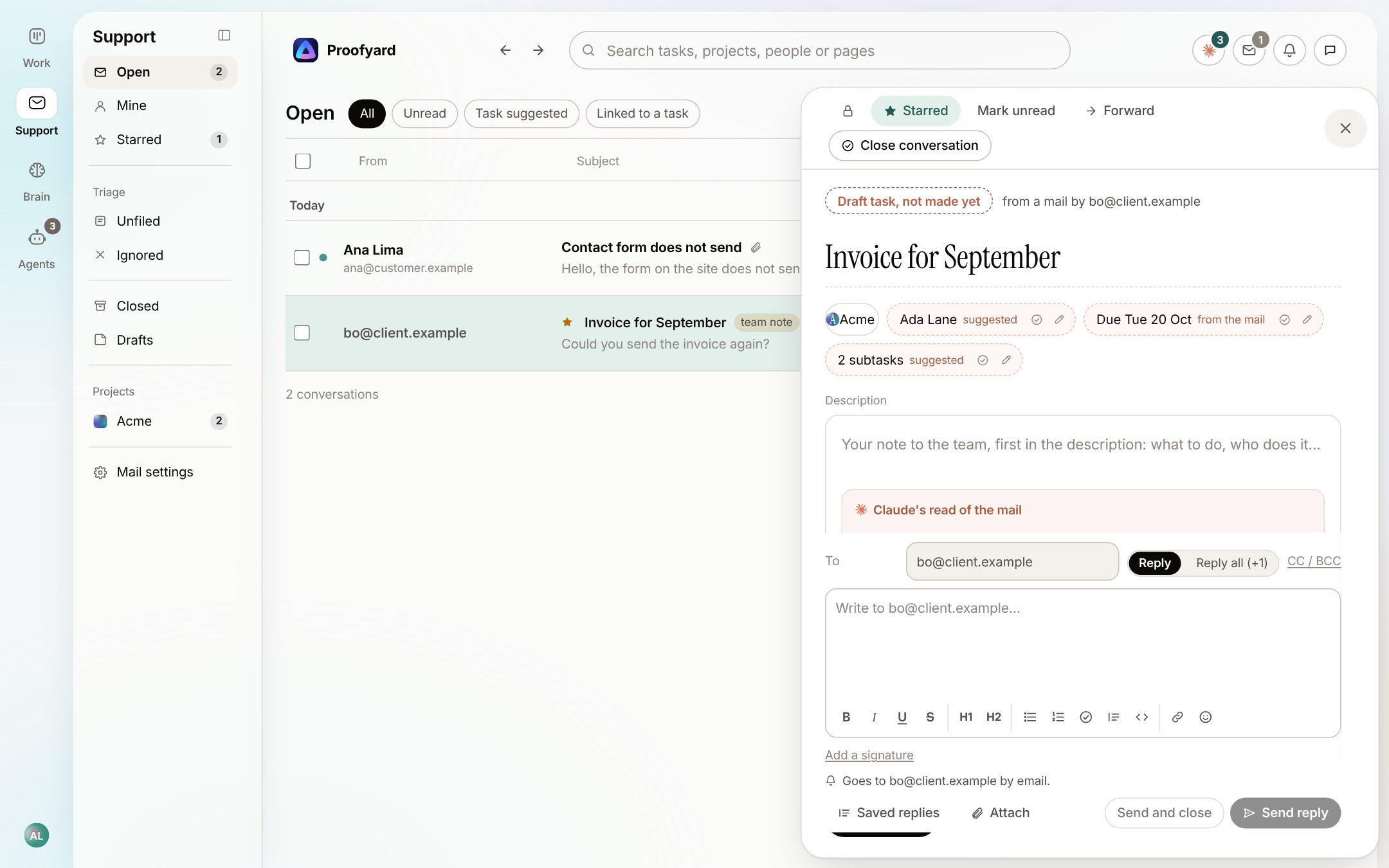
Client area
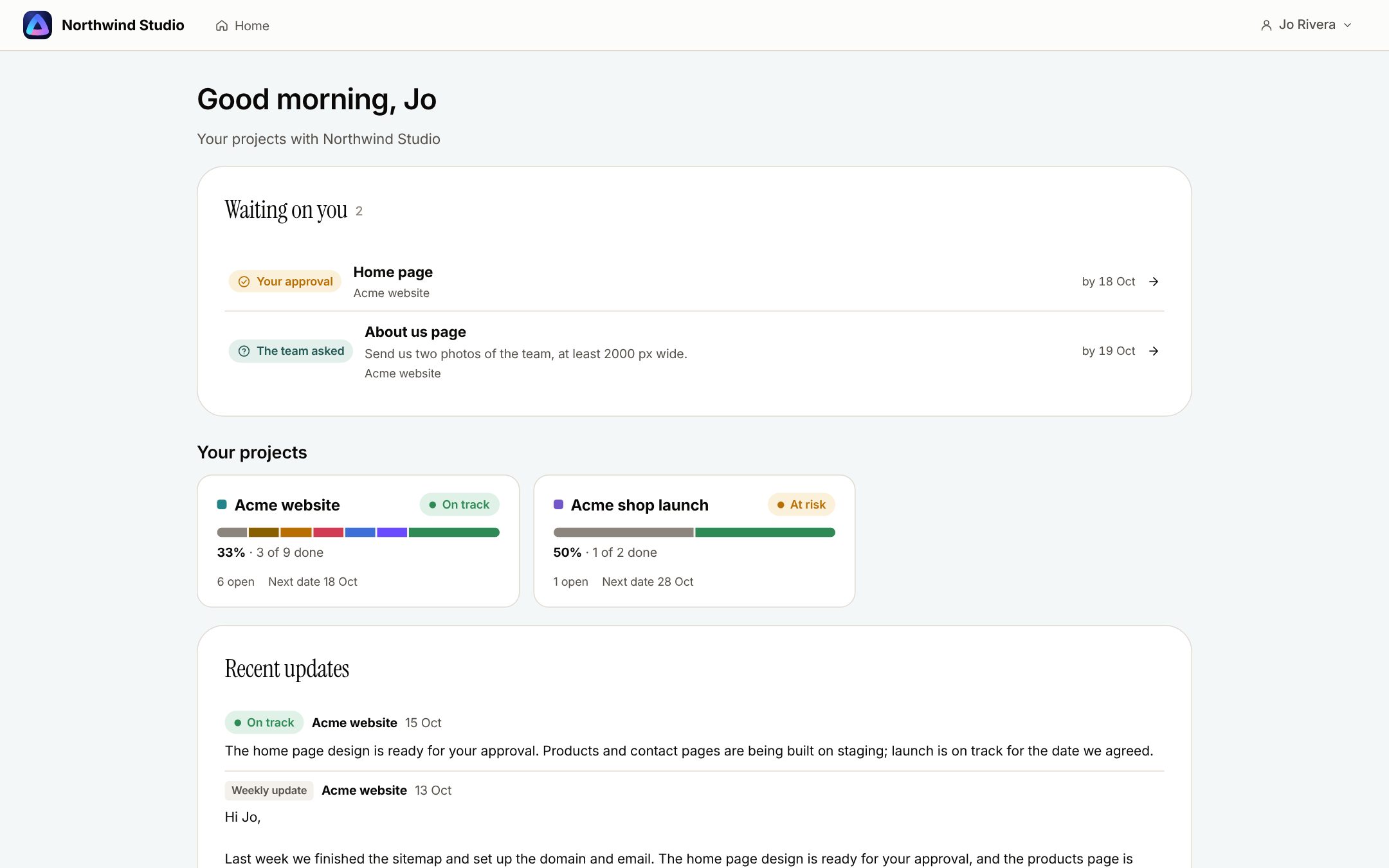
A place clients understand
Clients with a login see only the work you share: what waits for them, their projects' progress in plain stages, and recent updates.
- Approve or request changes on a task, with the design beside it
- Answer the team's questions where they were asked
- Ask about this project: Claude answers from what the board shows them
- Never an internal comment, never another client's work
Meetings
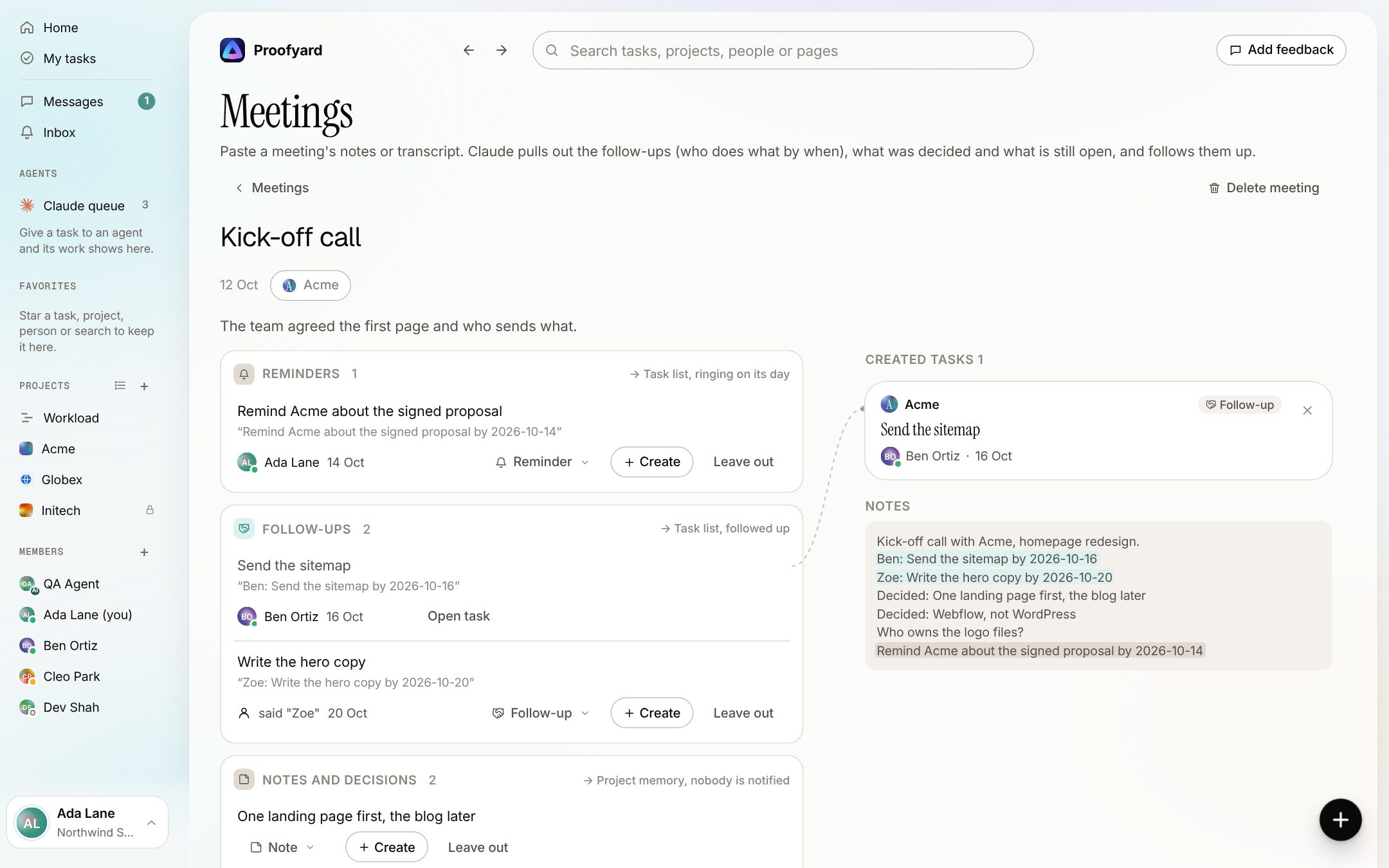
Calls that turn into tasks
Paste the notes or a transcript. Claude lists who does what by when, with the line it came from, and you create what you keep.
- Follow-ups, decisions and open questions kept apart
- Late promises remind their owner
- A weekly look at what was said but never became a task
Claude
Claude runs the line, people decide
Claude does the connecting work: it fills in tasks, suggests the next step, checks scope and works through the queue you give it. It never approves, publishes or writes to a client.
- Ask Claude from any page, with proposals you apply and can undo
- A Claude queue that claude.ai, Claude Code or Cowork works through
- Agents with a person in charge, such as the QA agent
- A connector (MCP) so Claude works the board as you
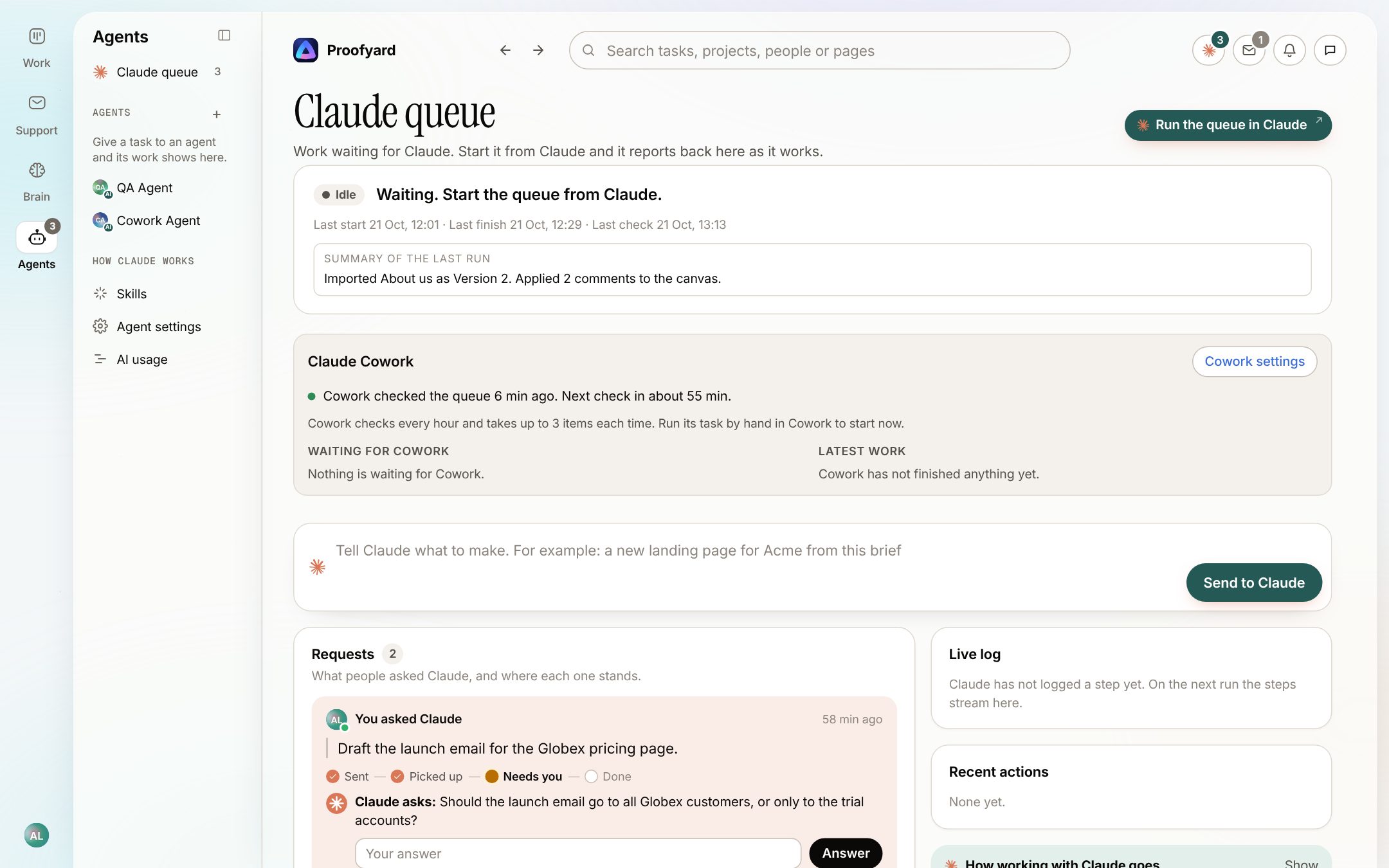
Screenshots: the app with sample data. Acme and the people in it are made up.
How it connects
One request, start to finish
- 1
A mail arrives
Support puts it on the client's project.
- 2
It becomes a task
Claude links it or drafts one; a person creates it.
- 3
Design
Made in Claude Design, imported as a version.
- 4
Client notes
Pinned on the board or the staging site.
- 5
Fixes
Sent to Claude Code; the client checks them.
- 6
Approval
The client approves from their area or a link.
- 7
Live
A person takes it live.
Works with
The tools around it
- Claudeclaude.ai, Claude Code and Cowork, through the connector
- Claude DesignCanvases come in as versions to review
- AsanaRead-only import, then Asana Sync
- Google DriveFiles over 1 MB
- Toggl TrackTime on a task, stopped when it is done
- BugHerdImport your feedback from its CSV
Who makes it
Made by Woofocus, a web studio, for its own work first
Woofocus has built and looked after client websites since 2010. We made Proofyard because our own production was spread across a task tool, a feedback tool and long chat threads, and we are moving our studio's work into it now. Any agency can open its own workspace.

Ali Demirci
Founder of Woofocus
Ali has designed, built and looked after client websites since 2010 and runs Woofocus, a small web studio. Proofyard is the board he built to run Woofocus's own production after years of carrying work between Asana, BugHerd and chat.
- 4.99/5rating on Codeable across 219 projects for 74 clientsSource: Codeable profile, October 2026
- Since 2010building and looking after client websitesSource: woofocus.com
- ~7,000tasks in our own Asana workspace, the work Proofyard was built to runSource: Woofocus Asana workspace, read 3 October 2026
“Communication was always clear and timely, making it easy to stay aligned on progress.”
“Ali delivered on time and worked tirelessly with us to make sure that we were satisfied.”
See it on your own work
Open a workspace and bring in one project. 14 days free, no card.