Feature
Project management for web design agencies
Phases from brief to launch, a list and a board on the same work, workload by person, and Claude's state on every task. Made in a web studio, for web studios.
Production board
One board for the whole site, from brief to launch
A website is not a list of to-dos. A page goes from brief to copy, design, client approval, build and testing, and each step has its own person and its own open question. We ran Woofocus in Asana for years, and when we read 90 days of it in October 2026 we had changed due dates 868 times, 756 of them to push late work later.
So each project here runs in phases that match how you build. Every task shows where it is, who has it and what Claude is doing with it, on the list, the board and the phone, and every change can be undone.
- 01
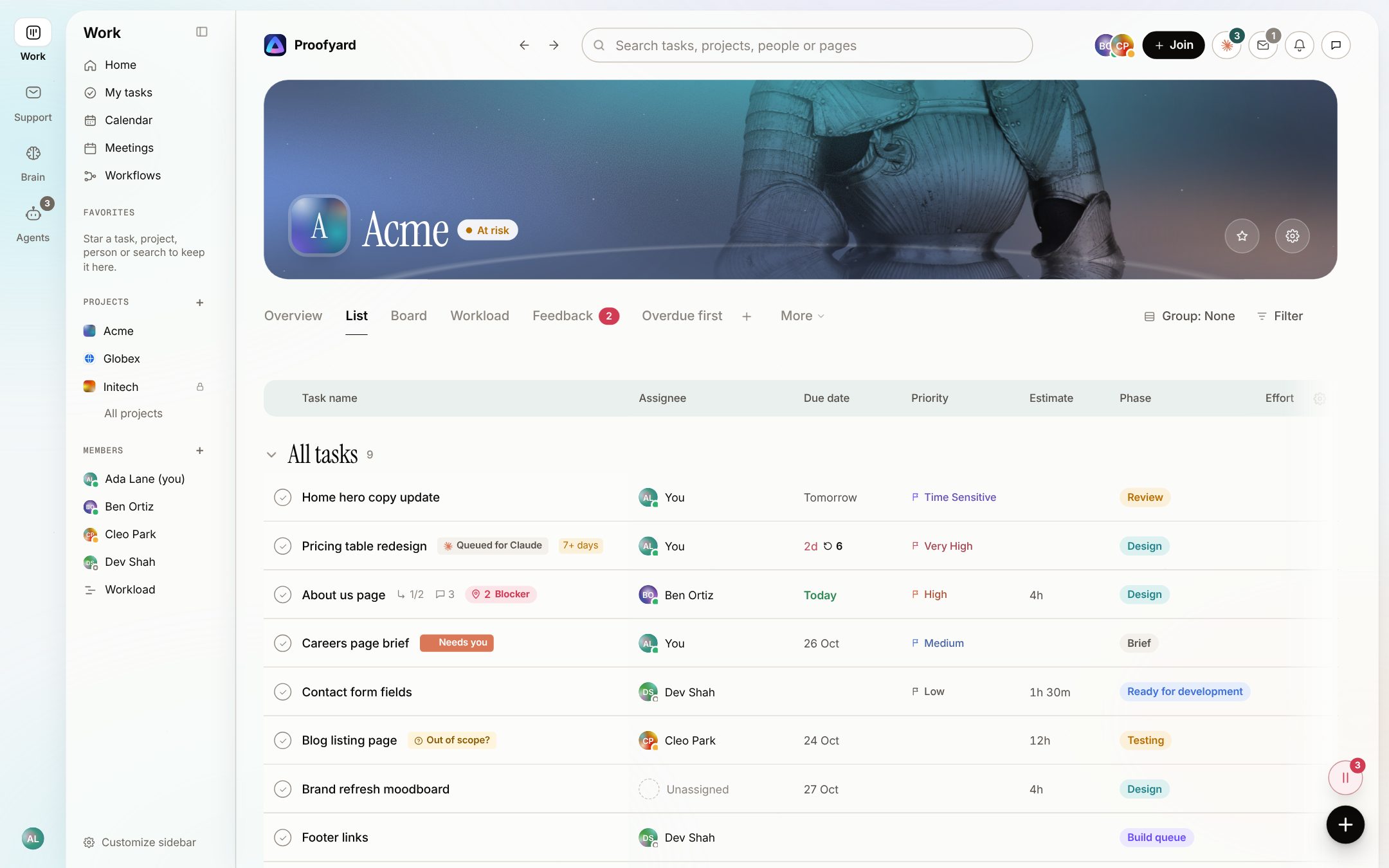
Every task, with Claude's state on it
The list shows the whole project: who, when, priority, estimate and phase. A chip on the row says where Claude is with a task: queued, starting, working, needs you, failed, or gone quiet when no step came for 20 minutes.
- 02
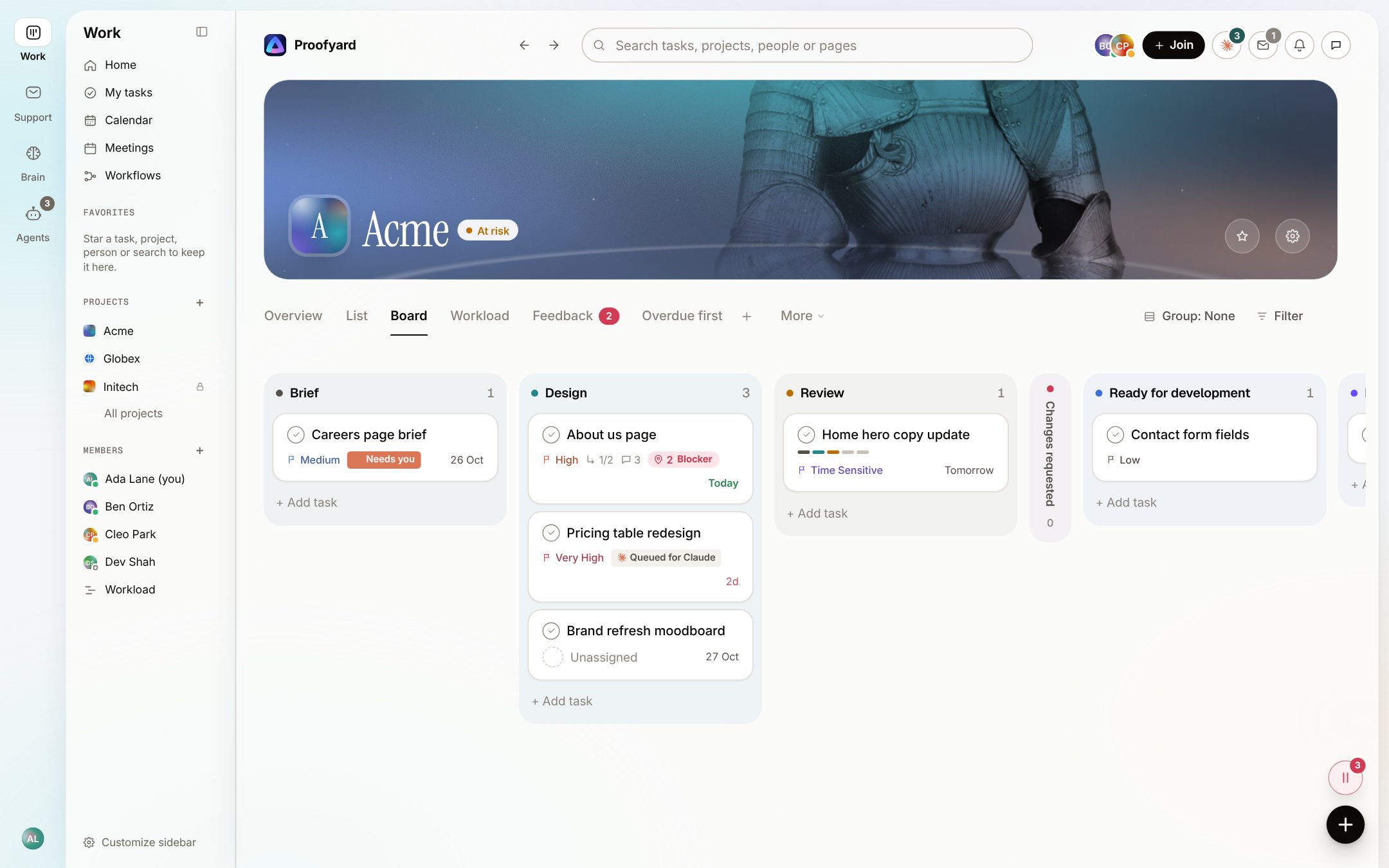
The board, in your own phases
Columns are the project's phases, from Brief to Testing. Drag a card to move it, or group by section, person, priority or any select field instead. Each phase can have a default person, a checklist and a gate, such as an approval before the build starts.
- 03
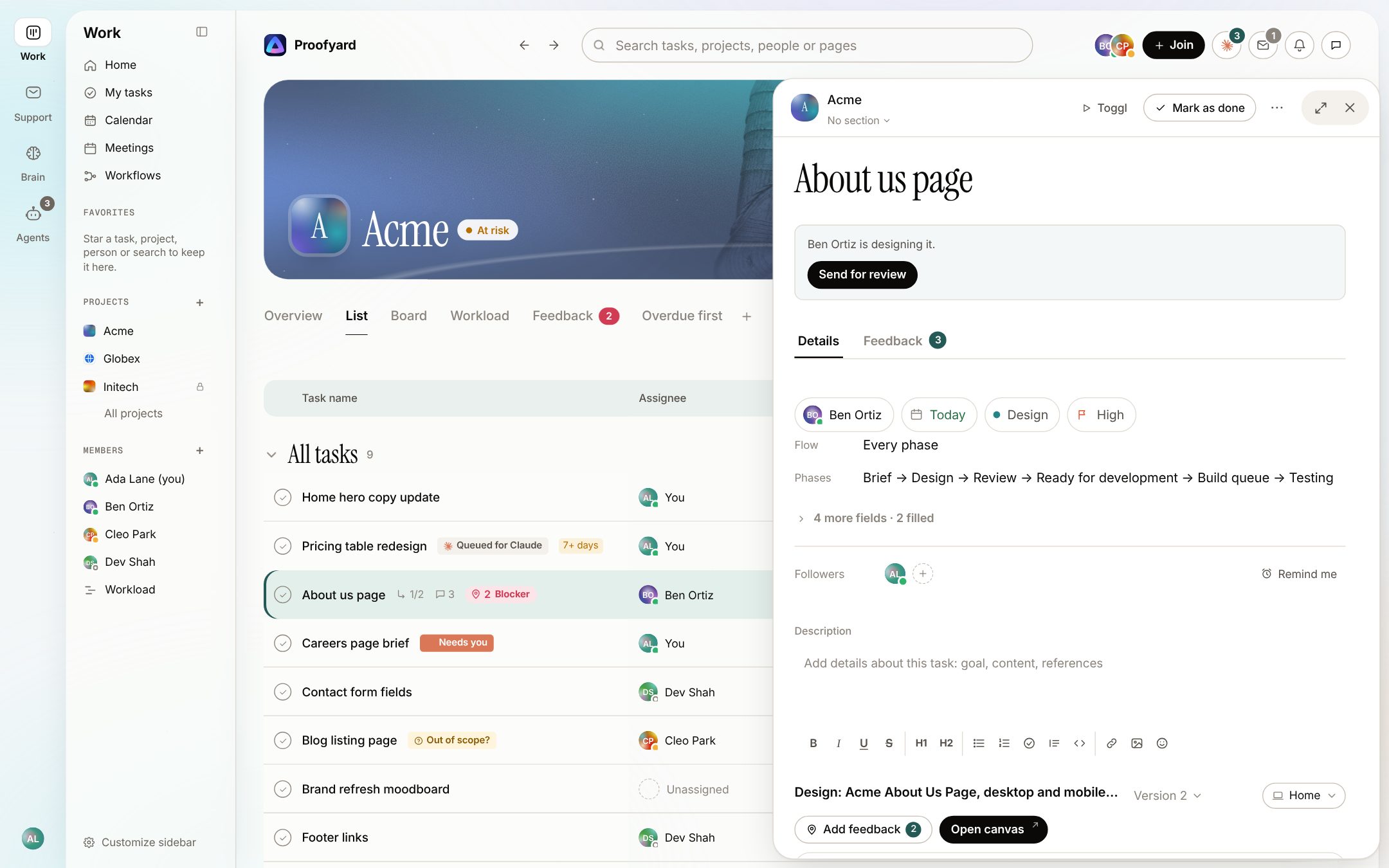
Open a task without losing your place
A task opens in a drawer from the right, from the list, the board, the Inbox or a link. The next step sits at the top (here, Send for review), then the fields, followers, description, the design with its pins, subtasks and comments.
- 04
See who is overloaded before the week starts
Workload lays the work out by person, project or client, in days, weeks or months, with capacity and time off. Drag a bar to move it or give it to someone else. Rebalance looks ten working days ahead and suggests moves; nothing changes until you apply them.
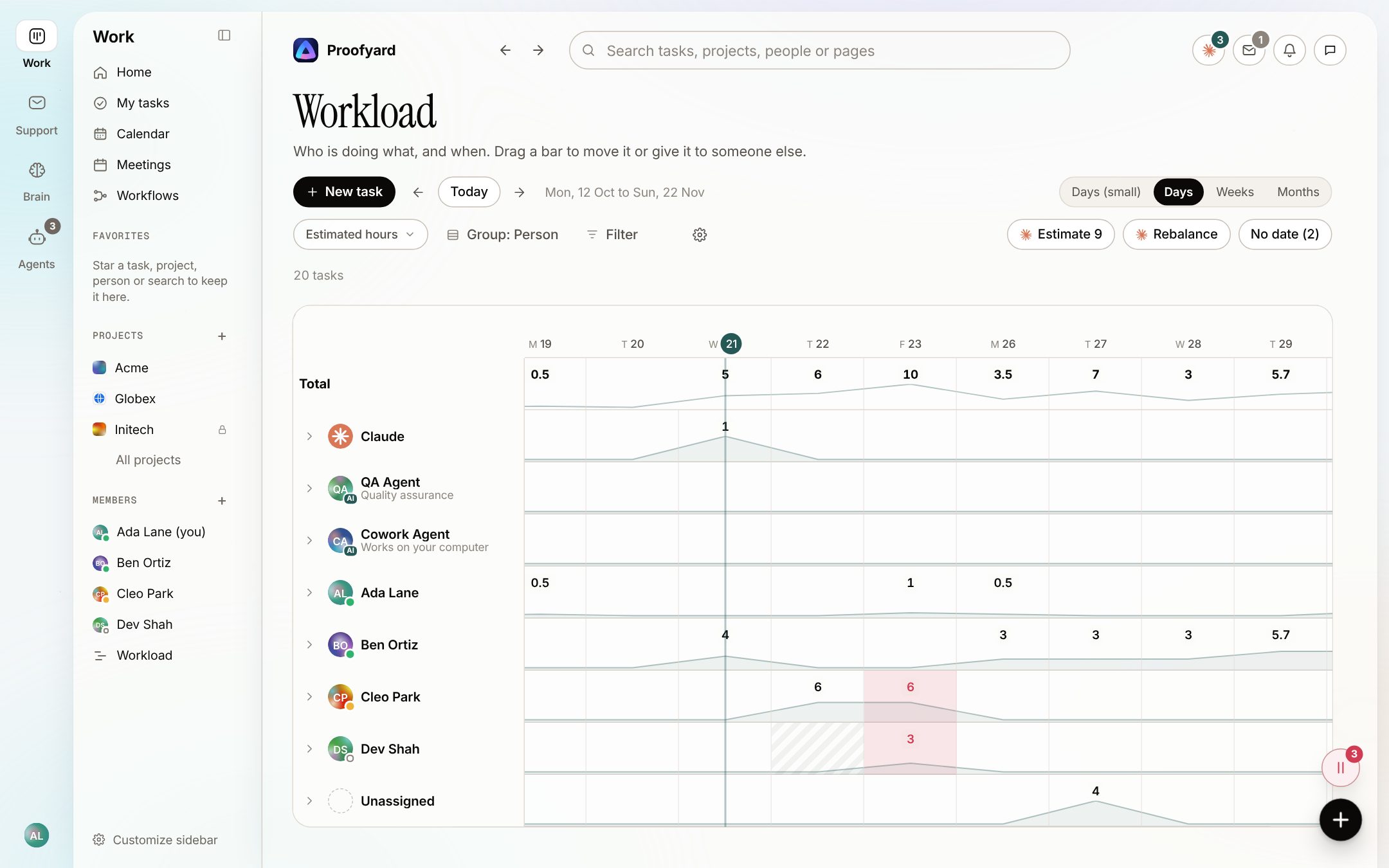
The screenshots are from the app with sample data: Acme, Maya and the team are made up.
Where agencies use it
Built around how a site gets made
A new client site
Start from a workflow you saved as a template, with your phases, checklists and gates, so every project runs the same way.
Client sign-off
Ask for an approval from the task. The client approves in their area or from a review link, and the task moves on to its next phase.
Scope
A Scope tab keeps the signed scope and change orders, and a new task that looks outside it is flagged the day it arrives.
Retainers and repeat work
Repeating tasks, task templates and checklists for the monthly update or the plugin round.
Moving from Asana
Import a project with a personal token: sections, tasks, subtasks, comments, fields, followers, files and blocked-by links. Nothing is ever written back to Asana.
Claude over MCP
With the connector, Claude in claude.ai, Claude Code or Cowork reads the board and works the tasks you hand it, as you.
What it will not do
Where it falls short today
There is no calendar or Gantt view. Workload is the timeline we use.
Claude does not approve, mark work done, move it past review or publish anything. A person does.
Claude works the queue from your side: from claude.ai, Claude Code, or Cowork on your computer, which checks every hour.
The Asana import leaves files over 1 MB and subtasks of subtasks in Asana.
Questions
Production board
Can I change the phases?
Yes. Each project has its own workflow: name the phases and give each a colour, a default person, a checklist and a gate. Save one as a template for the next project.
Do clients see the board?
No. Clients get their own area with plain stages (Planned, Copy, Design, Approval, Revisions, Build, Testing, Done). They never see your phase names, assignees, estimates or internal comments.
Does it work on a phone?
Yes. Installed on a phone it has a bottom menu, pull to refresh, Back in the task drawer and push notifications.
Is there Undo?
Edits show at once and can be undone. Deleted items come with an Undo, and the trash is emptied after 30 days.
How do we track time?
Through Toggl: a button on the task starts the timer, and it stops when the task is done.
Who makes it
Made by Woofocus, a web studio, for its own work first
Woofocus has built and looked after client websites since 2010. We made Proofyard because our own production was spread across a task tool, a feedback tool and long chat threads, and we are moving our studio's work into it now. Any agency can open its own workspace.

Ali Demirci
Founder of Woofocus
Ali has designed, built and looked after client websites since 2010 and runs Woofocus, a small web studio. Proofyard is the board he built to run Woofocus's own production after years of carrying work between Asana, BugHerd and chat.
- 4.99/5rating on Codeable across 219 projects for 74 clientsSource: Codeable profile, October 2026
- Since 2010building and looking after client websitesSource: woofocus.com
- ~7,000tasks in our own Asana workspace, the work Proofyard was built to runSource: Woofocus Asana workspace, read 3 October 2026
“Communication was always clear and timely, making it easy to stay aligned on progress.”
“Ali delivered on time and worked tirelessly with us to make sure that we were satisfied.”
Run one real page through it
Open a workspace, import one Asana project or start from a template, and take a page from brief to launch.