Feature in early access
A support inbox that knows your projects
Client email lands next to its project. Claude suggests the open task a mail is about, or drafts a new one, and a person decides. In early access.
Support
Client email that ends up on the right task
"Hi, the contact form isn't sending." A mail like that lands in one person's inbox, and the task it belongs to sits on a board somewhere else. Someone has to connect the two, and in a busy week nobody does.
Support puts client email in a shared inbox inside Proofyard. Mail from a project's domains or addresses goes to that project by itself, and Claude reads it as it arrives. It is in early access: today it runs for one workspace, our own studio's, while we finish it.
- 01
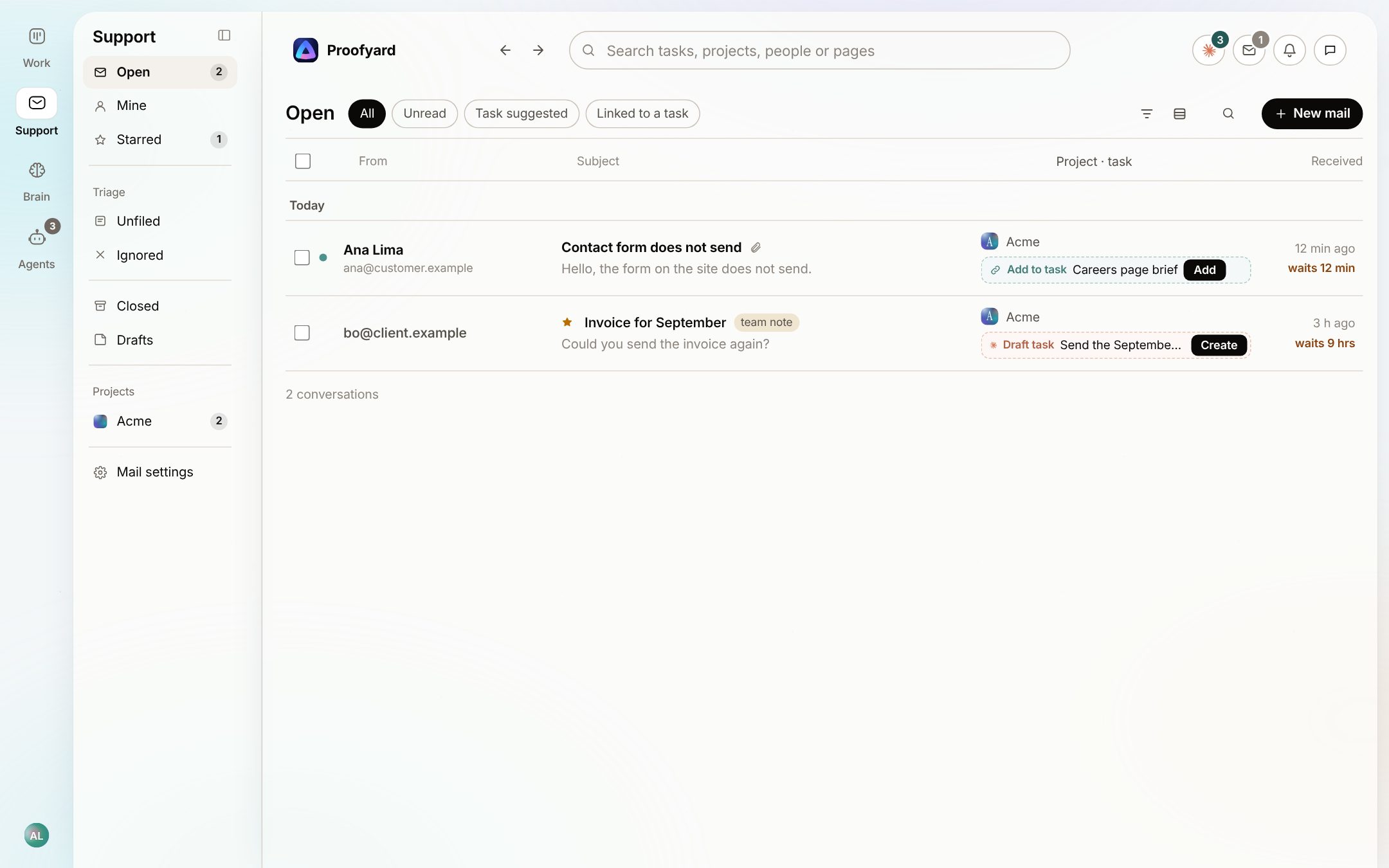
One inbox for the team
Open, Mine, Starred, To sort and Closed, with filters for unread, to check and linked to a task. Each row shows its project and what Claude suggests, one click away.
- 02
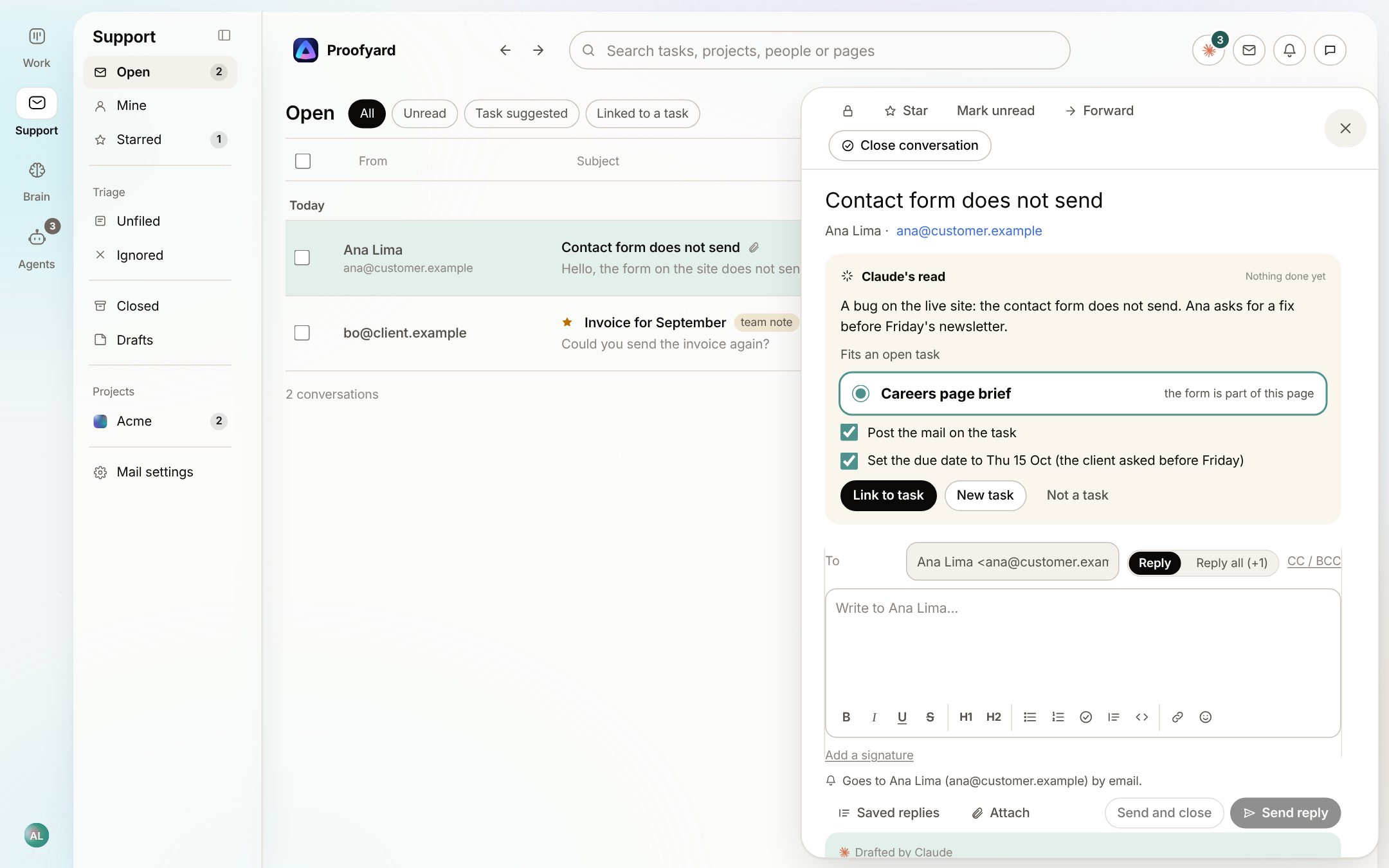
Claude finds the task it belongs to
On a project with Mail on, Claude writes a short summary and suggests up to three open tasks the mail is about, each with a reason, and a due date when the mail asks for one. Untick what you do not want, then Link. Undo takes it back.
- 03
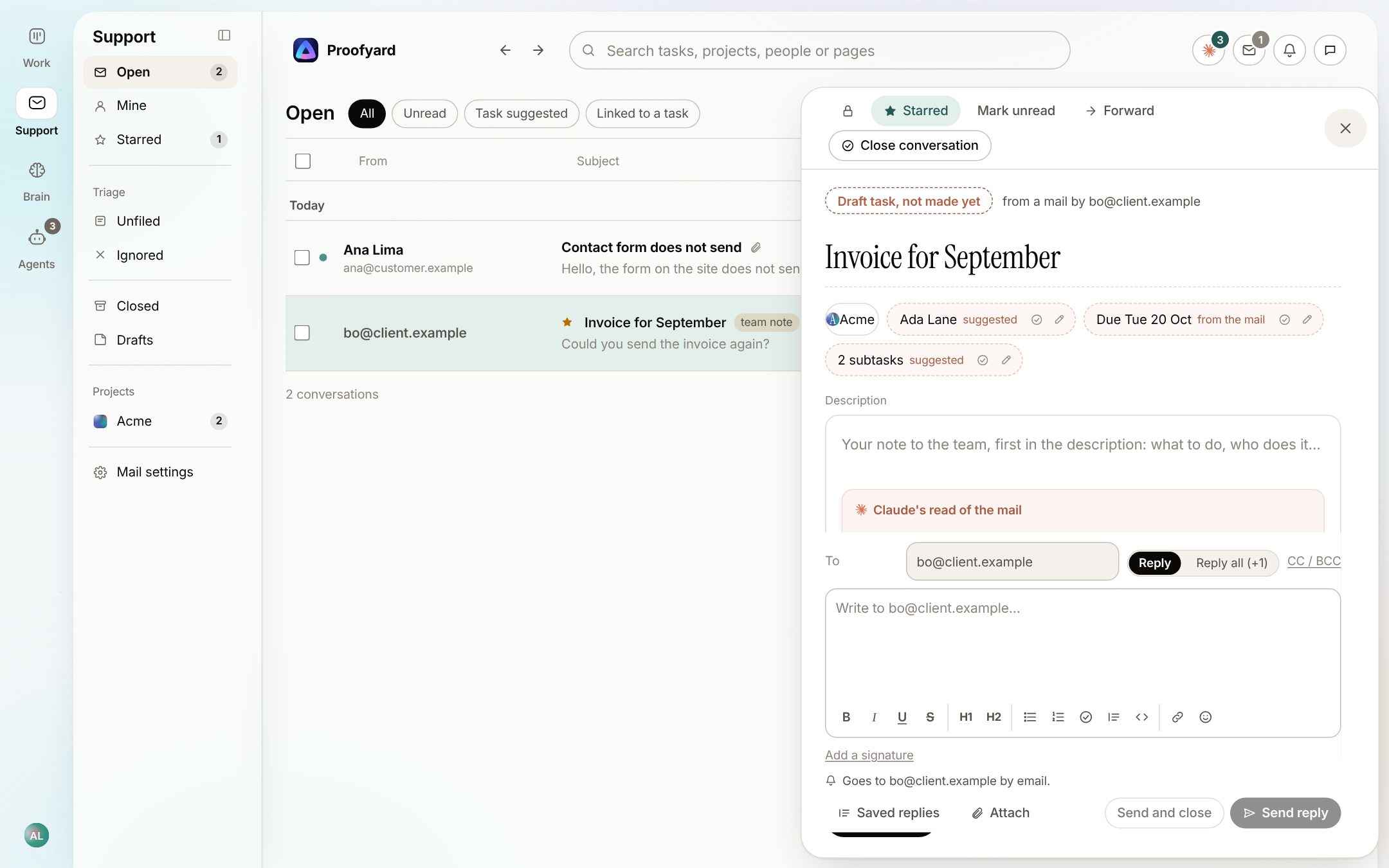
Or drafts a new task
When no task fits, Claude drafts one from the mail: a title, a suggested person, the date the client asked for and subtasks. It stays a draft until someone creates it.
- 04
Unknown senders wait in To sort
Mail no rule knows waits here, grouped by domain, with a guess at the project from the sender's earlier mail or a name in the mail. Accept can make a rule for the next mail from that domain, and a mail with two jobs can become two tasks.
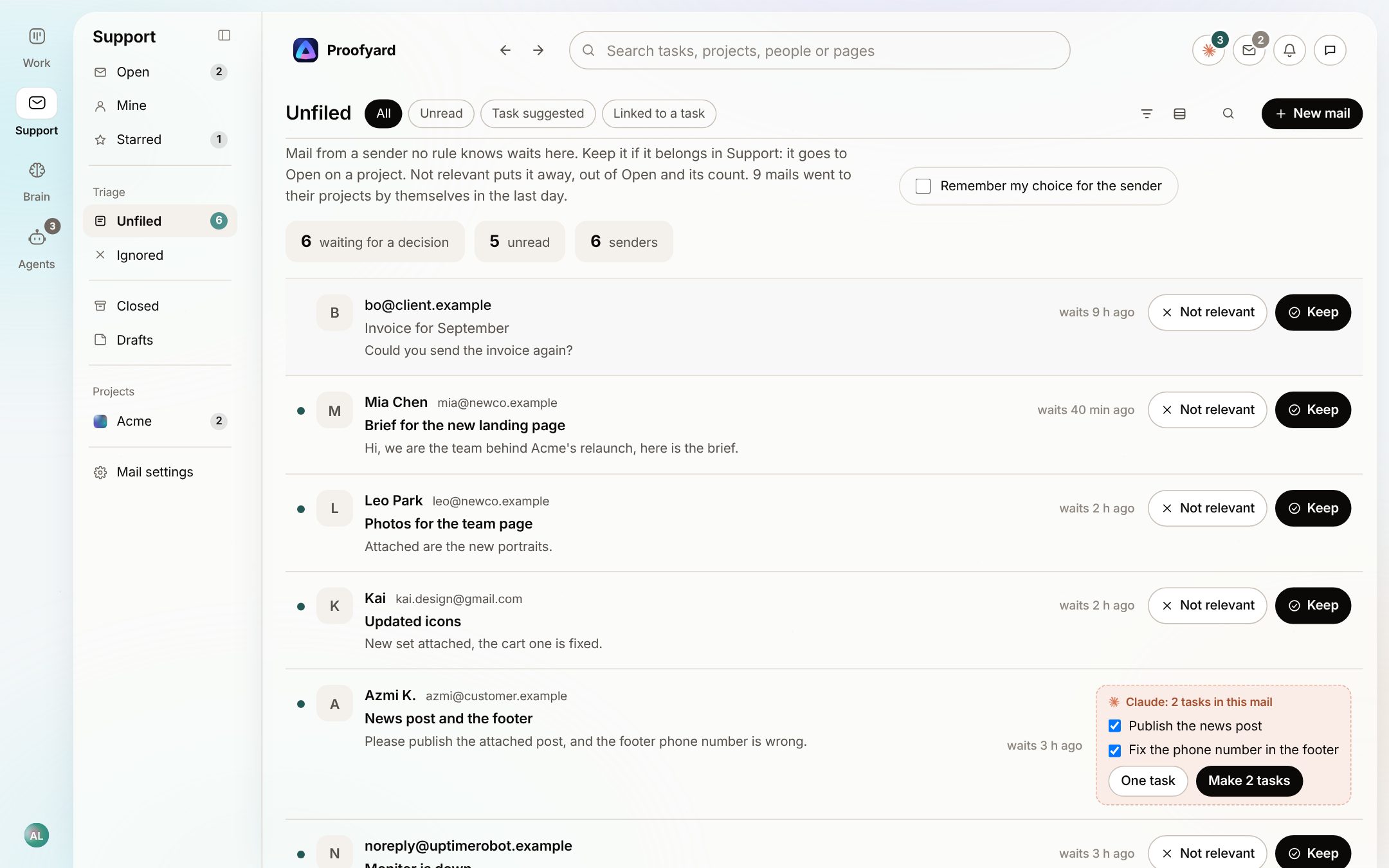
The screenshots are from the app with sample data: Acme, Maya and the team are made up.
Where agencies use it
The mail that usually gets lost
Bug reports
The mail goes onto the task for that page with the client's words, so the developer reads it where they work.
Small change requests
A new task with the date the client asked for, checked by a person before it exists.
Billing mail
Claude flags money mail and keeps the conversation private to admins and the people who handle billing.
Replies
Reply from the app with CC, saved replies and your signature. Every send waits 5 seconds with Undo.
Team notes
Notes inside a conversation that are never sent. Over MCP, Claude can read the inbox and leave a suggested answer as a team note.
On a phone
Support is a tab on the phone, and a new mail can reach you as a push that opens the conversation.
What it will not do
What it does not do, and what is not finished
Claude never writes or sends a reply to a customer. A person writes and sends every one.
Early access: it runs for one workspace today. Tell us if you want to try it on yours.
A conversation is open or closed. There is no assignee or snooze yet.
Claude reads the first 8,000 characters of a mail, which covers almost every client mail but not a long pasted thread.
Questions
Support
How does mail get in?
Your support mailbox forwards to an address Proofyard gives you. Personal addresses can forward too, with steps for Gmail and Outlook.
How does a mail find its project?
By the domains or single addresses in the project's settings. An address beats a domain, and when two projects claim the same one, the mail waits in To sort for a person.
Who can read support mail?
Workspace admins, a project's admins for its mail, and the people who sort new mail. Money mail only admins and the people who handle billing. Clients never.
What happens when I turn Mail on for a project?
Mail from the last 30 days comes in, and from then on Claude reads each new mail on that project as it arrives.
Who makes it
Made by Woofocus, a web studio, for its own work first
Woofocus has built and looked after client websites since 2010. We made Proofyard because our own production was spread across a task tool, a feedback tool and long chat threads, and we are moving our studio's work into it now. Any agency can open its own workspace.

Ali Demirci
Founder of Woofocus
Ali has designed, built and looked after client websites since 2010 and runs Woofocus, a small web studio. Proofyard is the board he built to run Woofocus's own production after years of carrying work between Asana, BugHerd and chat.
- 4.99/5rating on Codeable across 219 projects for 74 clientsSource: Codeable profile, October 2026
- Since 2010building and looking after client websitesSource: woofocus.com
- ~7,000tasks in our own Asana workspace, the work Proofyard was built to runSource: Woofocus Asana workspace, read 3 October 2026
“Communication was always clear and timely, making it easy to stay aligned on progress.”
“Ali delivered on time and worked tirelessly with us to make sure that we were satisfied.”
Want Support for your workspace?
It is in early access. Start with the board and client feedback, and tell us if you want Support next.