 By Ali Demirci, founder of Woofocus · October 17, 2026 · 5 min read
The part of the job nobody sells
Ask a web designer what the job is and they will talk about layouts, type and the moment a page clicks. Ask the person running the studio and you get a different list: the logo files that never came, the client who changed their mind on a call, the date that moved again, the comment that sat in someone's inbox for four days.
We have built and looked after client websites at Woofocus since 2010, and for most of that time this second list ate more of our week than the first. When Claude started doing more of the writing and the building, those parts got faster. The carrying did not.
So in October 2026 we read 90 days of our own Asana through its API, a team of five, to see where the time went:
- 868due-date changes in 90 days, 756 of them pushed later
- 5 daysthe median push
- 54%of reassignments came within 2 minutes of a comment by the same person
- 43tasks changed hands four or more times
None of that is design. All of it is the work around the work, and that is where AI earns its place in an agency. You can run the same count on your own projects with our free Asana health check.
Where does it hurt most for you? Start there:
Where does your week go?
Use One place for every note, sorted by AI
AI is good at sorting notes once they have a page and a screenshot.
- Setup
- A review link or a script on the site
- Claude sees
- The notes and their screenshots
Feedback that arrives from everywhere
A screenshot in an email. A voice note. A PDF with red circles. "As discussed on the call." Someone has to gather it, work out which page and which version it is about, and turn it into something a developer can act on. For us that was BugHerd, email and Telegram, and a producer in the middle.
Where AI helps: once every note is in one place with its page, its element and a screenshot, AI is good at the rest: grouping notes, spotting the two that contradict each other, writing what the developer needs, and handing the list to Claude Code to fix.
What it cannot do: decide which of the client's wishes is worth doing. That is a conversation, and it is yours.
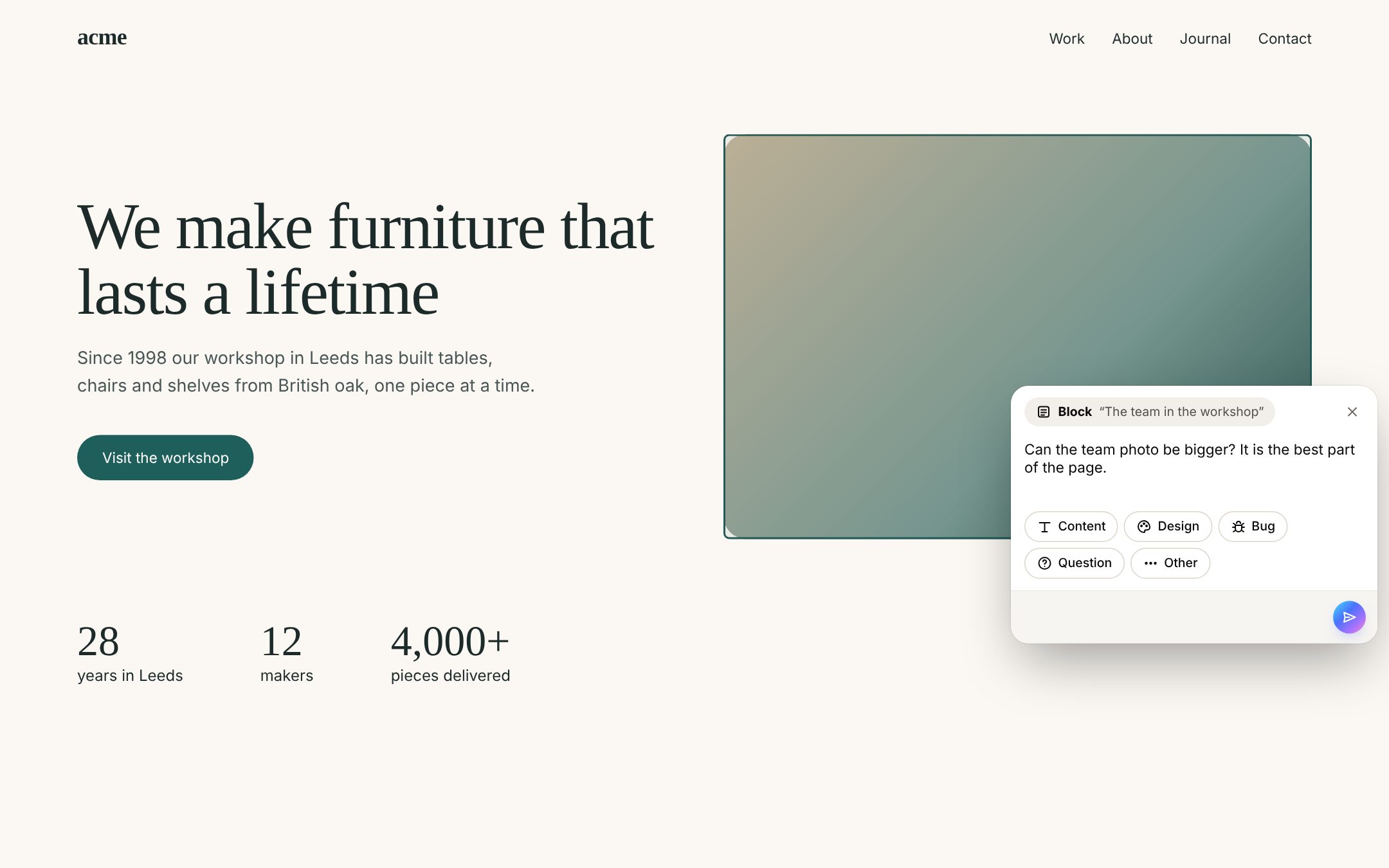
In Proofyard, clients pin notes on the Claude Design board or the staging site, with no account. More on client feedback for Claude Design, or how it compares with BugHerd.
Dates that keep moving
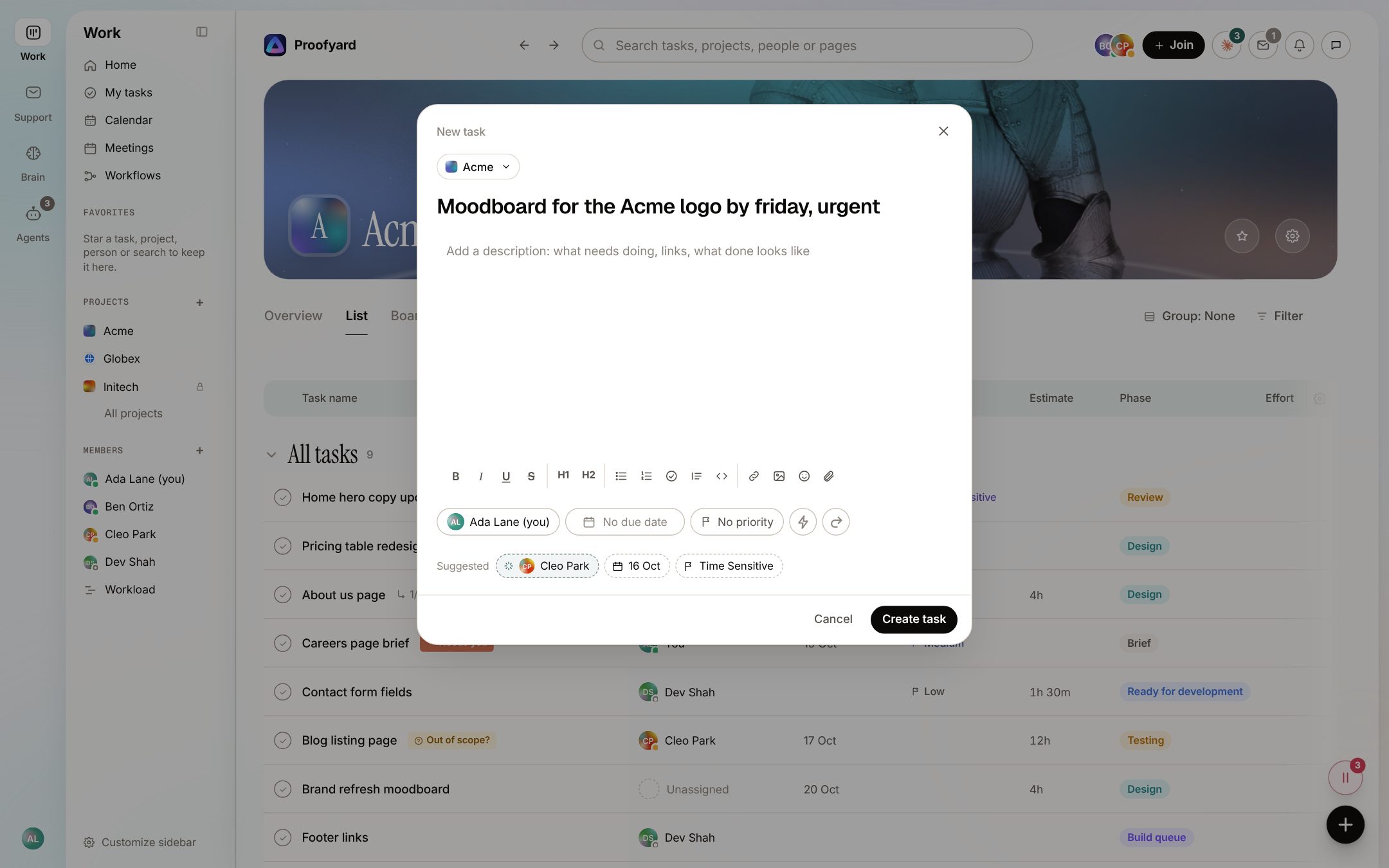
Our 868 due-date changes were not planning. Most of them happened on or after the old date: someone noticing a task was late and pushing it to next week. Every push is a tiny decision made by a tired person at six in the evening.
Where AI helps: suggesting a date that makes sense when the task is made (and never a Saturday), and pointing at the task that has slipped three times, so someone asks the real question: is this still the plan?
What it cannot do: say no to a client so the plan holds. A tool can show you the overload; only you can turn work away.
The hand-off that is really a question
54% of our reassignments came within two minutes of a comment by the same person. It is the most agency thing there is: "@Ben, is the hero copy final?", then the task goes to Ben, then it comes back, then it goes again.
Where AI helps: noticing the pattern and offering the next step under your comment, in one click, with Undo.
- You
@Ben Ortiz where are we on the hero copy?
- Claude
You asked Ben. Give the task back to him until he answers?
"Can you also add a blog?"
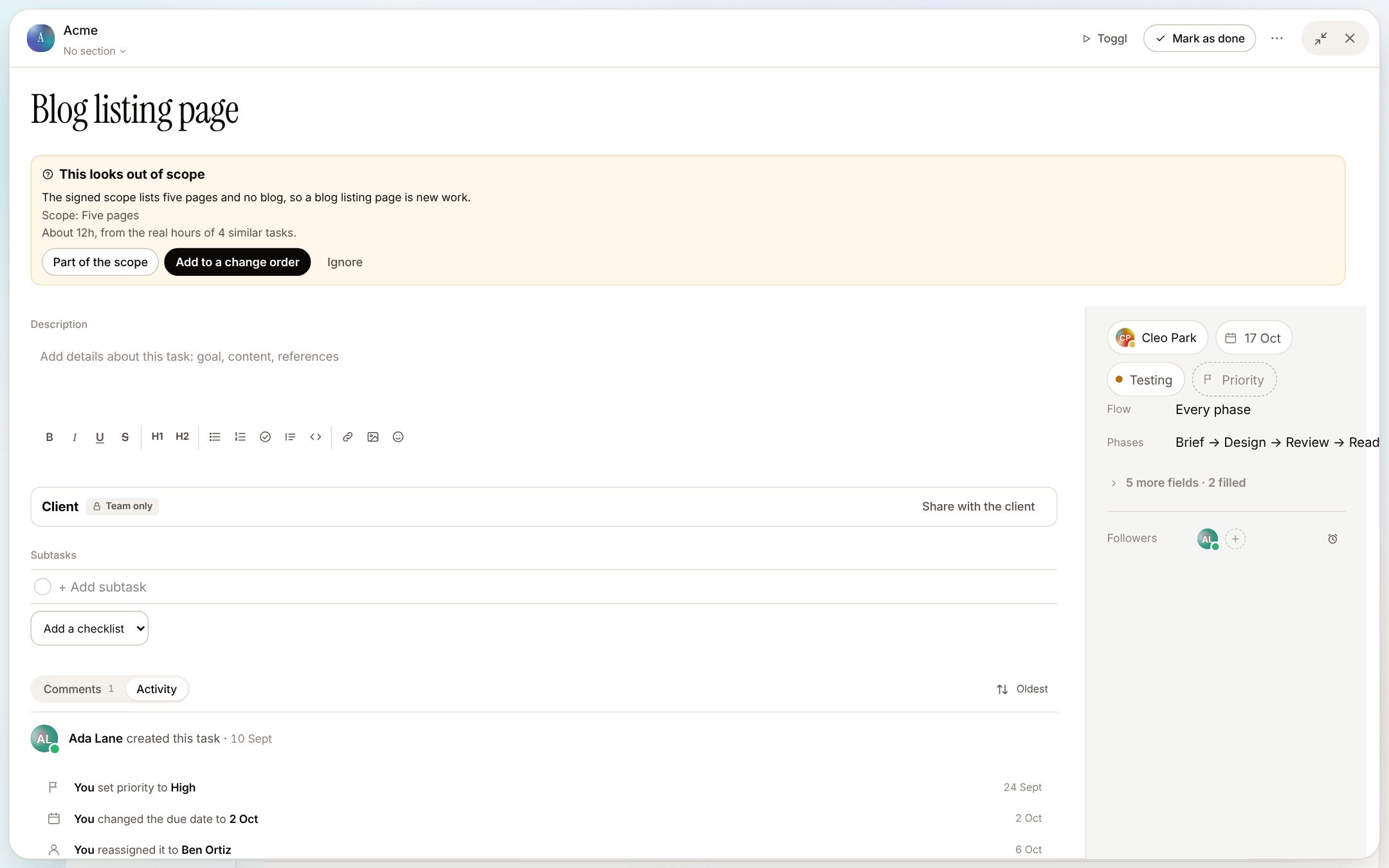
Scope creep rarely arrives as a big request. It arrives as a friendly one in week three, and it is easy to say yes before anyone checks the signed scope.
Where AI helps: reading every new task against the scope you agreed, and flagging what looks new, with an estimate from similar work. Part of the scope, a change order, or a gift: you choose, but now it is a choice.
The client email nobody turned into a task
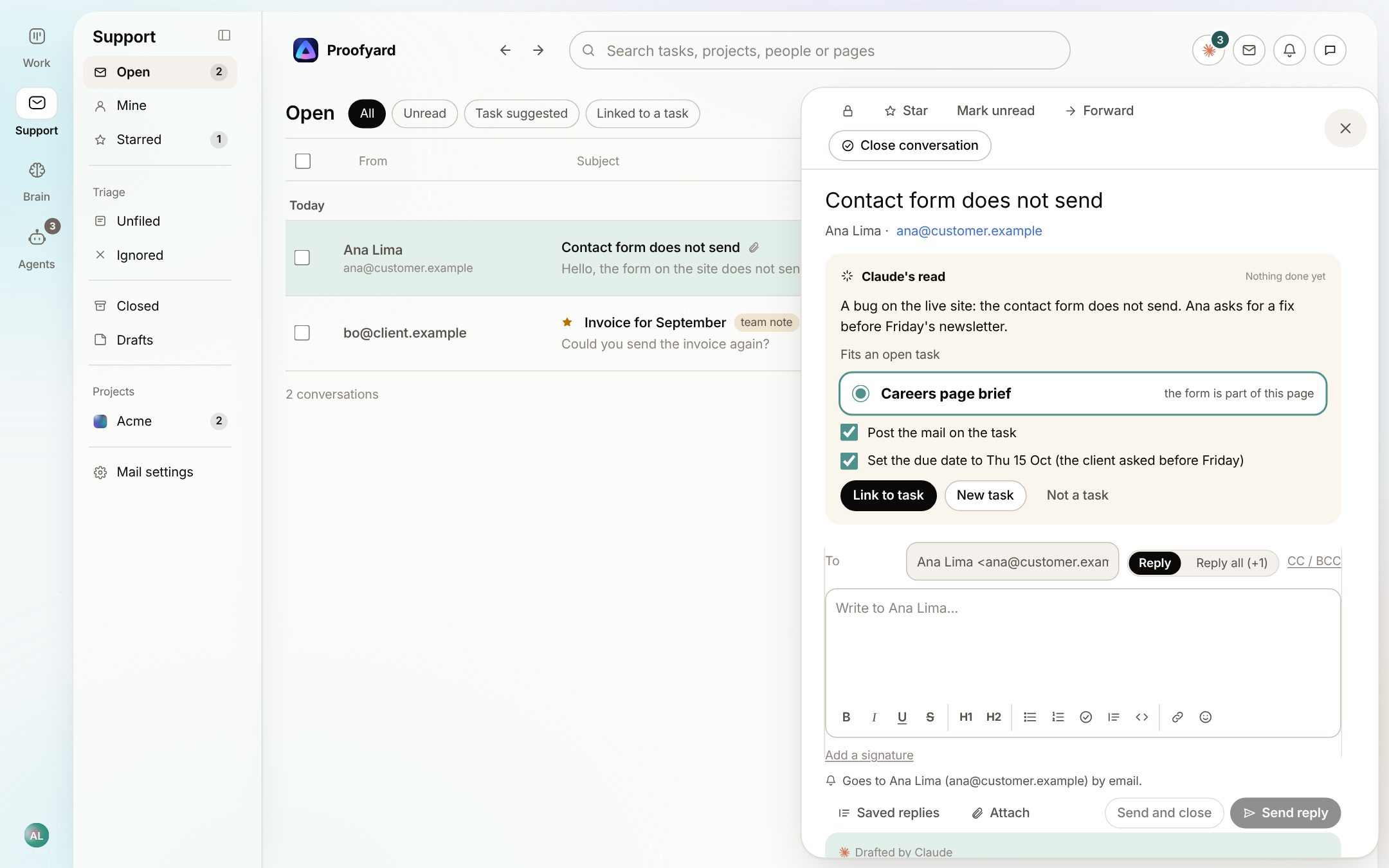
"Hi, the contact form isn't sending." It lands in one person's inbox, on a Friday, and that person is on holiday.
Where AI helps: when the mail lands next to the project, AI can see the open task it belongs to and suggest linking it, with a date. A person clicks. (In Proofyard this is the Support inbox, still in early access.)
Start with one pain, for one month
Trying to change everything in one week is the quickest way to give up on AI. What worked for us was smaller:
- Week one: pick the one item above that hurts most. Only that one.
- Week two: get it into one place. Feedback in one board, client mail in one inbox. AI cannot connect what it cannot see.
- Week three: let AI suggest, and let people take or drop each suggestion. Nothing should change without a click.
- Week four: count what you stopped doing by hand. If the answer is nothing, change the setup, not the team.
If you would rather not change tools, a chat assistant with a good prompt still helps with the reading part. We put the prompts we use in our guide to using AI when project managing a website.
What we keep for people
- Anything the client reads. Drafts, yes. Sending, no. It goes out under your name.
- Approvals. An approval is a promise to the client. In ours the client approves in their client area, with the version on record.
- Saying no. To scope, to dates, to the fifth round of revisions.
- Taste. AI can make ten layouts. Choosing the one that fits this client is the job.
And an honest word about cost and mistakes: AI suggestions are wrong sometimes, which is why ours are one click to take and one click to undo. It also costs money to run; we show what each person and each purpose used, so a busy month is visible rather than a surprise. The full list of what ours does, and whether Claude or a plain rule is behind each, is on the smart actions page.
Sources
- Our numbers: Woofocus Asana workspace, last 90 days, read through the Asana API on 5 October 2026.
- How Proofyard works: the app as built on 17 October 2026. The screenshots are from its preview with sample data: Acme, Maya and the team are made up, and so is the example conversation.